

Wearable development partners share design files best by agreeing on neutral, open formats (STEP for mechanical, Gerber and ODB++ for PCBs, DXF for textile patterns), exchanging them through a controlled repository with versioning, and attaching a documented handoff package. This keeps mechanical, electronic, firmware, and textile work aligned across organisations.
Wearables raise the stakes because one product combines rigid electronics, flexible circuits, textiles, and firmware, often handled by different teams with different software. A mismatch in one file can cost weeks. The questions below cover formats, secure transfer, IP protection, version sync, handoff contents, and tools.
Which file formats work best for wearable design handoffs?
Neutral, widely supported formats work best: STEP for 3D mechanical geometry, Gerber or ODB++ for PCB manufacturing data, DXF or PDF at 1:1 scale for textile patterns, and plain text or Git repositories for firmware. Native files are useful for editing but should never be the only copy shared.
Each discipline in a wearable project has its own preferred format, and the mistake is assuming one format covers everything. A practical breakdown:
- Mechanical and enclosures: STEP (AP214 or AP242) for solid models, STL or 3MF for 3D printing, and native CAD files when a partner needs to edit features.
- PCB and electronics: Gerber X2 or ODB++ for fabrication, plus drill files, a bill of materials as CSV or XLSX, pick-and-place data, and the schematic as PDF. Share native EDA projects when the partner will modify the layout.
- Flexible and rigid-flex circuits: Gerber plus a dedicated bend and stackup drawing, since Gerber alone does not capture bend radii or layer stackup.
- Smart textiles: DXF for cutting patterns, PDF at true scale for checking, and a separate document for conductive yarn paths, stitch types, and material specifications.
- Firmware and algorithms: a Git repository with a tagged release, not zipped source files.
For PCB and CAD file exchange between electronics and enclosure teams, IDF or STEP exports of the populated board let the mechanical designer check clearances without opening the EDA tool. In wearables, where a few millimetres decide comfort, this check prevents expensive surprises.
What is the safest way to transfer design files?
The safest method is a managed, access-controlled platform with encryption in transit and at rest, individual user accounts, and audit logs. Avoid email attachments and consumer file-sharing links, because they offer no revocation, no traceability, and no control over who forwards what.
Good practice for secure file transfer in product development includes:
- Use a platform that supports per-user permissions, so a textile supplier sees patterns but not firmware source.
- Enforce multi-factor authentication for every account with access.
- Set expiry dates on external shares and revoke access when a phase closes.
- Verify integrity with checksums for large CAD or manufacturing packages, so both sides confirm the received file matches the sent file.
- Keep a log of what was shared, with whom, and when.
Large manufacturing packages sometimes need SFTP or a dedicated project workspace because email size limits and corporate firewalls get in the way. Agree on the transfer method at kickoff rather than improvising when the first deadline hits.
How do you protect IP when sharing wearable designs?
Protect IP by signing an NDA before any exchange, defining ownership of background and foreground IP in the development agreement, sharing only the data each partner needs, and keeping an auditable record of every disclosure. Technical controls and contractual terms work together; neither is enough alone.
Wearable projects often involve several parties at once: an electronics team, a textile specialist, a manufacturer, and sometimes a research institute. That makes layered protection important.
- Contract first: An NDA covers disclosure, but a development agreement should also state who owns pre-existing IP, who owns what gets created, and how licensing works afterward.
- Share on a need-to-know basis: A pattern maker does not need your firmware. A firmware partner does not need your supplier pricing.
- Use the right export: Gerber files and STEP exports reveal geometry and layout but not editable design intent or parametric history. Release native files only when editing is the purpose.
- Mark documents: Add confidentiality notices and revision stamps to drawings and PDFs.
- Record everything: Dated logs of what was shared support your position if ownership is ever disputed.
Be honest about the limits too. Once a manufacturer holds production files, contract and trust carry most of the protection. Choose partners with a track record in sensitive sectors such as medical and defence, where confidentiality is routine.
How can partners keep design file versions in sync?
Keep versions in sync by using one shared source of truth: a version-controlled repository for text-based files and a PDM or controlled folder structure for binary CAD and EDA files, combined with a clear revision naming scheme and a single owner for each release.
Version control for hardware design files is harder than for software, because CAD and PCB files are binary and cannot be merged line by line. These habits reduce the chaos:
- Adopt a revision scheme. Use a consistent format such as REV A, B, C for released designs and date-stamped drafts for work in progress.
- Lock files while editing. Since binary files cannot be merged, only one person should edit a given file at a time.
- Use Git for firmware and scripts. Tag every release that corresponds to a hardware revision, so firmware version 1.4 is always traceable to PCB revision C.
- Keep a change log. Each release states what changed and why, so the partner does not have to diff two files to find out.
- Name a release owner. One person approves what becomes the current version, and everyone else works from that baseline.
In wearables, a change in one domain ripples into others. A thicker battery alters the enclosure, which shifts the textile pocket, which changes the sensor placement. Linking revisions across disciplines in one release record catches these cascades early.
What should a design handoff package include?
A complete handoff package contains the design files in neutral formats, a bill of materials, assembly and integration instructions, test and acceptance criteria, a change log, and a readme that states the revision and open issues. The receiving partner should be able to proceed without a clarification call.
For a wearable, a solid package typically holds:
- Mechanical: STEP models, 2D drawings with tolerances, material and finish specifications.
- Electronics: Gerber or ODB++, drill files, schematic PDF, BOM with approved alternates, assembly drawing, and pick-and-place file.
- Textile and integration: pattern files, conductive material specifications, interconnection method (soldering, crimping, overmoulding, conductive adhesive), and washing or durability requirements.
- Firmware: tagged release, build instructions, flashing procedure, and configuration parameters.
- Testing: test procedures, pass and fail criteria, and known limitations.
- Regulatory: applicable standards, risk file references, and traceability requirements, especially for medical devices where documentation must hold up under audit.
- Readme: revision identifier, date, author, what changed, and open questions.
The integration documentation is where wearable handoffs most often fall short. Electronics specialists and textile specialists describe the same joint with different vocabulary, so explicit, illustrated instructions prevent misinterpretation.
Which collaboration tools suit multi-disciplinary wearable teams?
The best tools match each discipline: Git for firmware, a PDM or cloud CAD platform for mechanical and EDA files, a shared document workspace for specifications, and an issue tracker for tasks. Choose tools your partners can access without buying new licences, and avoid fragmenting information across too many systems.
A workable stack for a multi-disciplinary team looks like this:
- Code and scripts: Git hosting with branch protection and tagged releases.
- CAD and EDA files: a PDM system or cloud platform with check-in and check-out, revision history, and permission control.
- Documentation: a shared workspace such as SharePoint or a wiki for specifications, meeting notes, and handoff packages.
- Task and sprint management: an issue tracker such as Jira so open questions and decisions stay visible.
- Review: a shared screen session or 3D viewer for design reviews, so partners without the native software can still inspect models.
Resist the urge to adopt a new tool for every need. Agree on a minimum set at project start, document where each file type lives, and make that map part of the kickoff. Smooth wearable technology collaboration depends more on discipline and clarity than on any particular platform.
How Elitac Wearables helps with sharing design files across wearable development partners
Elitac Wearables removes most file handoff friction because hardware, firmware, textile, and haptic expertise sit in one team and one 180m² Wearables Lab in Utrecht. Fewer organisational boundaries mean fewer formats to translate and fewer versions to reconcile. Where outside parties are involved, Elitac works as an extension of your team through a defined process.
- Disciplines under one roof, so electronics and textile integration data stay aligned from the first prototype
- A structured, phase-based development process with clear deliverables and documentation at every stage
- Complete handoff packages for pilot samples, first series, and manufacturing partners
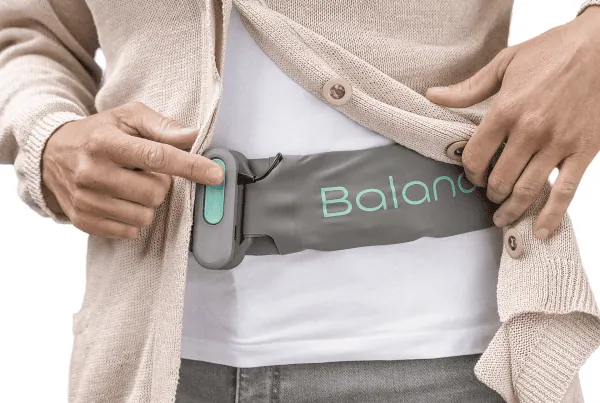
- Experience protecting sensitive IP in medical, defence, and sports projects, including the Mission Navigation Belt and BalanceBelt
If your files are scattered across suppliers and you want a partner who keeps them under control, see how working with us is set up, or contact the team to discuss your project.
Related Articles
- Who should own system integration in a wearable co-development project?
- How do you divide technical decisions between wearable development partners?
- How do military wearables differ across army, navy, and air force?
- What are the regulatory risks that can stall a wearable product launch, and how do you mitigate them?
- What are the biggest challenges in wearable product development?